
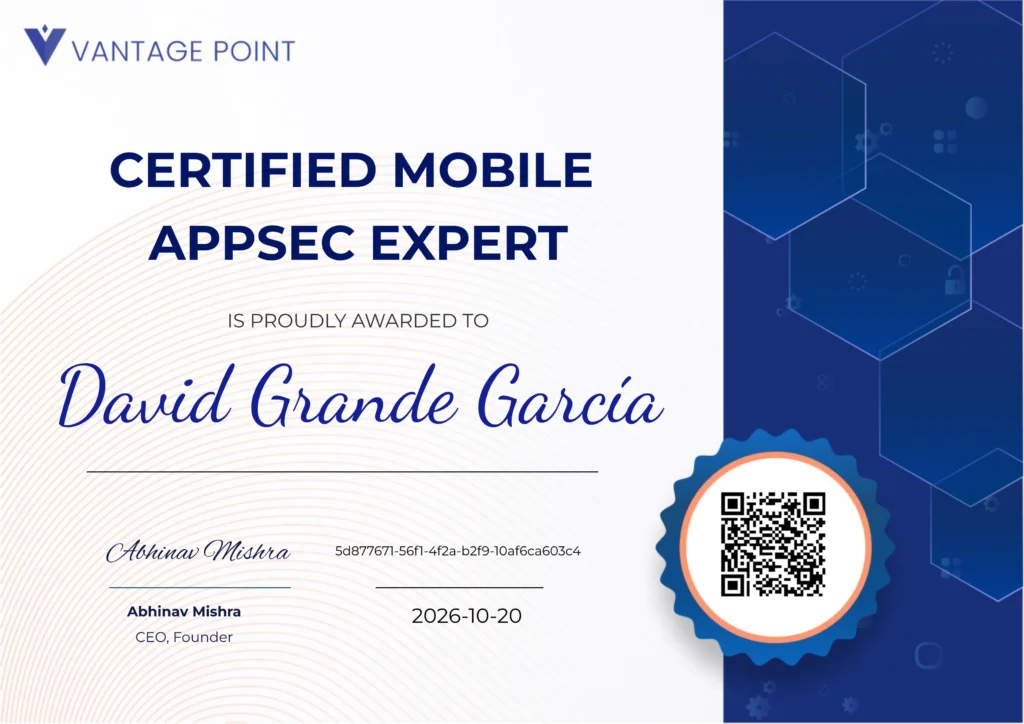
After several years specializing in web hacking, I wanted to take the leap and start learning something new like mobile application hacking, starting with Android. I chose the CMAE (Certified Mobile AppSec Expert) from Enciphers, and in this post I tell you everything you need to know if you’re thinking of taking the exam.
What is CMAE?
It’s a mobile hacking certification focused on Android and iOS. It gives you access to a course and an exam with 10 hands-on challenges on a real application.
The price is $300 for the course (videos) + the exam. CMAE doesn’t include a prep lab, but VantagePoint offers one separately: the Mobile Hacking Launchpad, which you have to sign up for on your own. You can practice in the exam environment for as long as you want before starting a challenge. Each challenge has its own time allocation, but you can request a reset up to a maximum of three times during the entire exam.
The Course
The course consists of 17 videos for Android and 12 for iOS, around 15 minutes each, with slides and practical examples. The best thing about the material is that it covers both operating systems, so you can learn both. I focused on Android because I preferred to start here and, once I learn enough, make the jump to iOS later.
The syllabus covers:
- General introduction to mobile pentesting.
- Overview of the OWASP Mobile Top 10.
- Key tools: Frida, Objection, MobSF, jadx.
- Techniques: SSL Pinning Bypass, Anti-Root Bypass, Deep Links, SQLi, Path Traversal, exported components and activities, among others.
It’s advisable to have prior web hacking knowledge before taking the exam, because there are things that aren’t covered in the course and later show up in the exam, especially the use of Burp Suite. If you already come from that world, you’ll be able to complete several challenges easily.
Exam Format
Here’s where it gets interesting. The exam consists of 10 challenges on a single application. They give you the APK and the equivalent IPA, and you choose which platform to solve each challenge on (the statements and solutions are the same for both). You can even solve them on both if you feel like it.
The total is 400 points distributed as follows:
| Number of challenges | Points each | Time each |
|---|---|---|
| 4 | 20 | 90 min |
| 1 | 30 | 120 min |
| 2 | 50 | 150 min |
| 2 | 60 | 180 min |
| 1 | 70 | 240 min |
In total, that’s 1,380 minutes (23 hours) of actual exam time.
The passing grade is 80%, meaning 320 points.
Time Management
Lab duration: When you press Solve Challenge on any challenge, a lab timer starts and you must solve that challenge before the time runs out. The general lab environment keeps running for as long as you want and you can also restart it every 7 days, when it expires.
Time per challenge: Each lab has its own timer (between 90 and 240 minutes). Once you start it, it can’t be paused.
You can open the challenges in any order and tackle them whenever you want, but once you press the button for a specific challenge, its timer starts with no option to stop it.
Before pressing Take Challenge you have a preview with the title and prerequisites of each lab (tools you’re going to need: Burp, jadx, etc.). You only see the full statement when you enter the challenge.
Evaluation and Submission
Resets: In the entire exam you have 3 resets, which allow you to redo a challenge if it didn’t go well on the first attempt. In my case there was one challenge that I solved partially and got 10 out of 20 points, but they let me repeat it and on the second attempt I found the correct solution.
This lets you go in with less pressure, knowing that if any of the challenges gets complicated you can reset it and try again.
Each challenge is submitted with a PDF uploaded to the lab itself. The grading is done by a person, not automatically, and in addition to the score they give you feedback on your method for solving the challenge, so it also serves as learning. They usually take a few hours to grade it.
The grade for each challenge breaks down as follows:
- 80% demonstration of the solution (exploitation, analysis, etc.).
- 20% documentation quality.
Here’s something important: CMAE isn’t just about “hacking”. There are challenges where they ask you to explain the configuration of a component of the app, propose concrete remediations, or document vulnerabilities without necessarily exploiting them in depth.
If you come from certs like OSCP, here you have to change your way of thinking: the solution isn’t a flag, but solving the lab your way, since there’s no fixed method. Also, the report counts too.
Steps I recommend:
- Write up each challenge in Word with step-by-step screenshots.
- Write everything in English.
- Export to PDF and upload to the lab.
Before you start writing, make yourself a checklist with the 2-3 requirements that the statement asks for and tick them off as you cover them. It’s the fastest way to not lose silly points by forgetting something.
About scoring: partial points are awarded. The norm is that they give you approximately between 90% and 100% of the points for each challenge. In my case, in two of them they told me they were perfect and I received all the points. So don’t obsess over getting the maximum on all of them; by covering the requirements well and documenting correctly, you’ll reach a pass with plenty of room.
Setup and Tools
This is the part I would have most liked to read before starting. I’ll be concrete.
Main Device
A rooted physical phone. In my case a Google Pixel 4 that I already had prepared from previous audits. If you’re going to take the exam, invest a few hours before the exam in getting it ready:
- Root.
- Burp certificate installed as a system CA.
- LSPosed with the TrustMeAlready module for SSL pinning bypass.
Having this set up before starting the exam saves you many hours.
Secondary Device: Old Emulator
Some challenges require an old version of Android, where certain protections don’t yet exist or behave differently. My recommendation is to have Genymotion installed and ready to spin up a low-version machine in 5 minutes when you need it.
Tools I Ended Up Using
| Tool | What for |
|---|---|
| jadx | Decompilation and reading the Java/Kotlin code of the APK |
| MobSF | Initial static analysis |
| Burp Suite | Interception of HTTP(S) traffic |
| LSPosed + TrustMeAlready | Passive SSL pinning bypass, no scripts |
| Frida | Dynamic hooking at runtime |
| Objection | Wrapper over Frida, quick commands for common tasks |
| JDB (Java Debugger) | Dynamic debugging of the app |
| Logcat | Reading system logs |
| apktool | Decompile and recompile the APK |
| apksigner | Sign the modified APK before installing it |
| Genymotion | Fast emulator for old Android versions |
My Personal Experience
I took the exam having watched the complete Android course and with the environment already configured. I decided to start the certification taking advantage of being on vacation, to have plenty of time.
This was my timeline:
- About 3 months before: I research mobile on my own and practice with free APKs.
- September 10: I start watching the course videos and taking notes.
- October 11: I finish all the Android videos.
- October 14: I start the exam.
- October 17: I finish the exam.
General impressions:
- The individual times for each challenge are more than enough in almost all of them. There was a specific case where it fell short because I took a while to find the solution, but as a general rule you have time to spare.
- Since there’s no overall limit, you can go at your own pace. Personally I think the best thing is to take a few days off to be fresher. I finished it in four days (October 14 to 17).
- Having a web hacking background helps a lot with Burp. If you come from OSCP, BSCP, or similar, you’ve already got half the road done.
- Being able to read Java/Kotlin code is key for the entire exam; in practically every challenge you’re going to have to use jadx. You don’t need to be a Java expert (I’m not either); understanding programming logic is enough.
Result
I ended with 348 / 400 points (87%). Above the 80% cutoff with enough margin, 10/10 challenges completed.
Do I Recommend This Certification?
Personally I think this certification is a good option if you’re looking for a course + exam to get into mobile app hacking. There’s little information online about this branch of cybersecurity, and starting on your own can be complicated.
Also, the price is affordable, around €270 at the current exchange rate, and if you dedicate time to it, as I did, in a month you can finish the complete course.
As with everything, it also has its downside. If you’re looking for a recognized certification like OSCP, this isn’t it; CMAE is more of a niche cert. That said, it will help you learn, which in the end is what matters most.
It’s also not an advanced mobile hacking course. It gives you the basic and intermediate knowledge to get started in this type of audit, but don’t expect an expert level.
If you have questions about the certification, you can write to me on LinkedIn. And if you decide to take it, best of luck – it’s an entertaining cert and you learn quite a bit during the exam.