
Hi everyone, today I bring you a different vulnerability, it is not the typical XSS nor a bypass that happens every day.
At the beginning of August I found a business logic vulnerability that allowed me to skip the payment of an order during the checkout process in an online store. This type of flaw is especially interesting because it is not detected by automatic scanners or classic payloads, you have to understand the application flow and find the exact moment where the logic breaks.
The images shown below are examples and have been generated with AI to avoid revealing the real identity of the site.
Reproducing the vulnerability
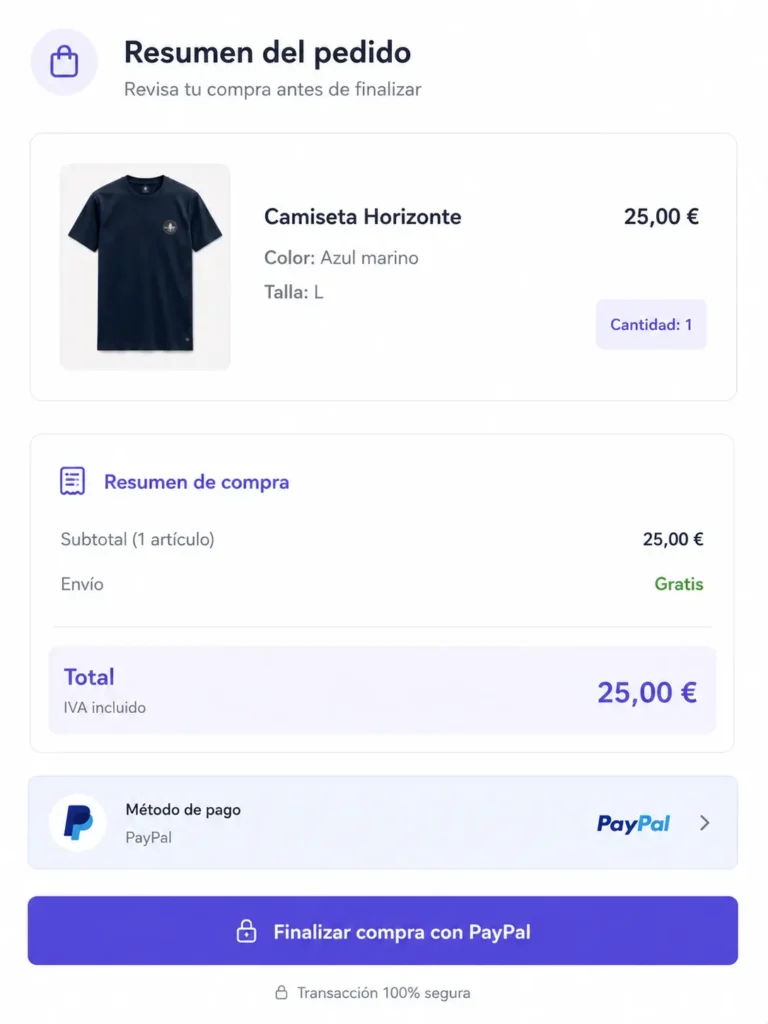
The first step was to add an item to the cart. As an example I will use a T-shirt that costs €25. Once we reach the final part of the checkout, we select PayPal as the payment method and we can see the order summary with the total amount we are going to pay.
Before continuing, we need to capture the request responsible for changing the quantity of products in the cart. To do so, we increase the quantity to 2 units, so internally the cart becomes €50.
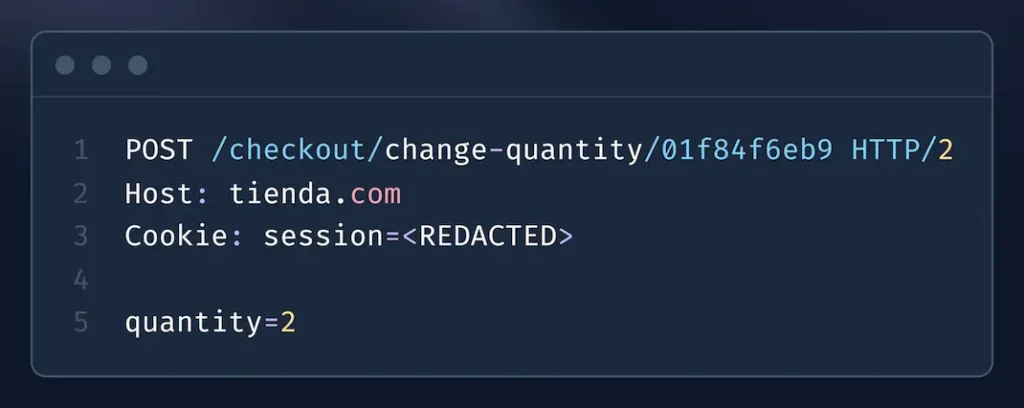
Right before clicking on pay, at this moment the store cart contains 2 T-shirts (€50), while PayPal still has only the original amount of €25 authorized.
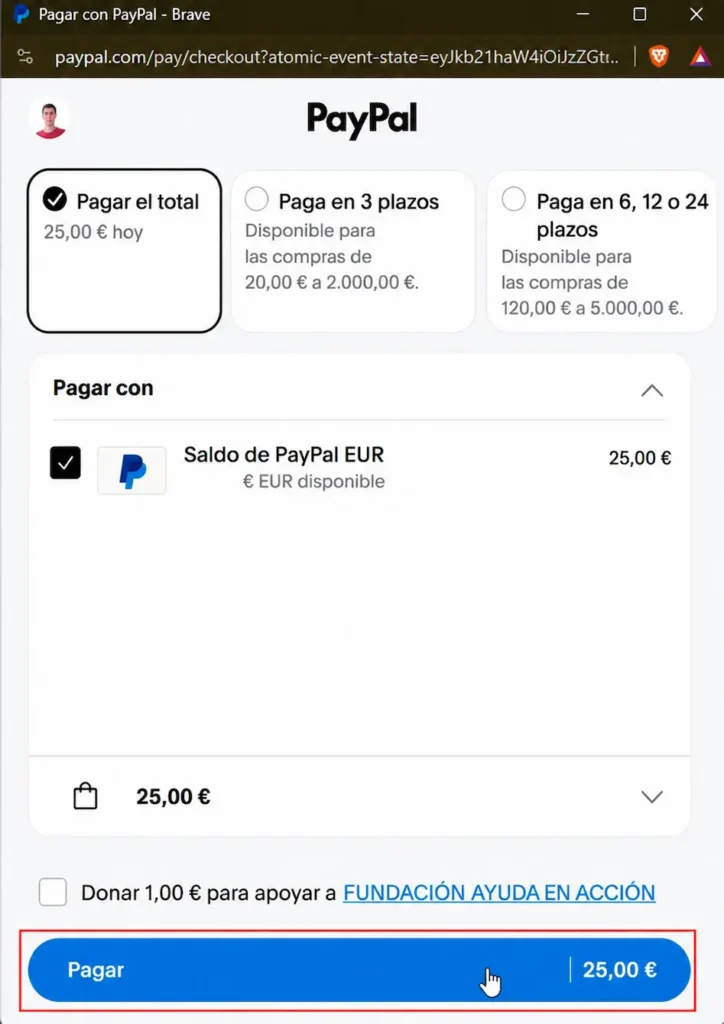
Now we click the “Pay” button shown in the image and, since the amount authorized by PayPal no longer matches the real cart total, the operation fails and the store shows us an error. Seeing that error, the first thing you think is that the attack did not work and that the store is correctly validating the amount. But it actually did work, and this is where the interesting detail lies.
This is where the vulnerability was
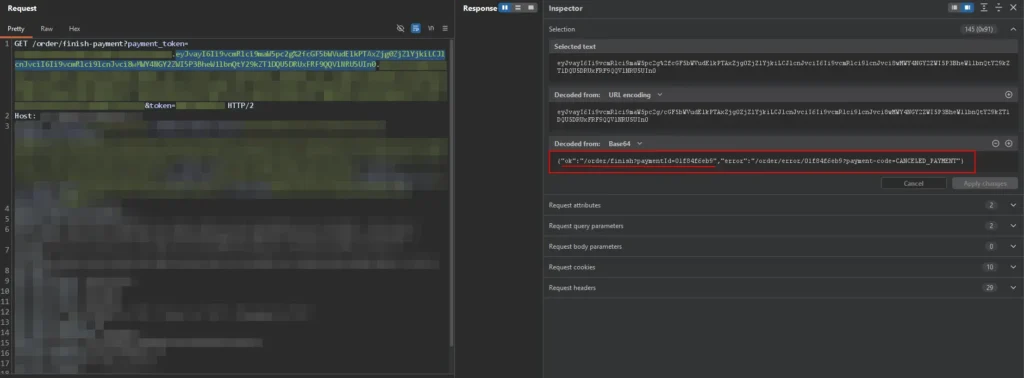
If you look closely at the requests, the one containing the error message was sent by PayPal to the store through a Base64-encoded URL parameter, which makes it hard to notice the vulnerability at first glance. Most people would see the error on screen, close the tab and move on with their lives.
If we decode the payload in the URL, we can see two variables:
- A variable error with the endpoint the user is redirected to when the payment fails.
- A variable ok with the endpoint the store redirects to when the payment is completed successfully.
In this case the website showed the error message, but what I did was take the endpoint from the ok variable and access the link directly.
After accessing this endpoint, the order was marked as paid and appeared in the My Orders section without having paid a single cent.
Why this happens
The problem is that the endpoint that finalizes the order only trusts that a valid identifier associated with the session reaches it, without asking PayPal again whether the correct amount was actually charged. In other words, the store assumes that if that endpoint is being called it is because the payment went through, when in reality that link is handed to the customer even in the error flow.